Contacts
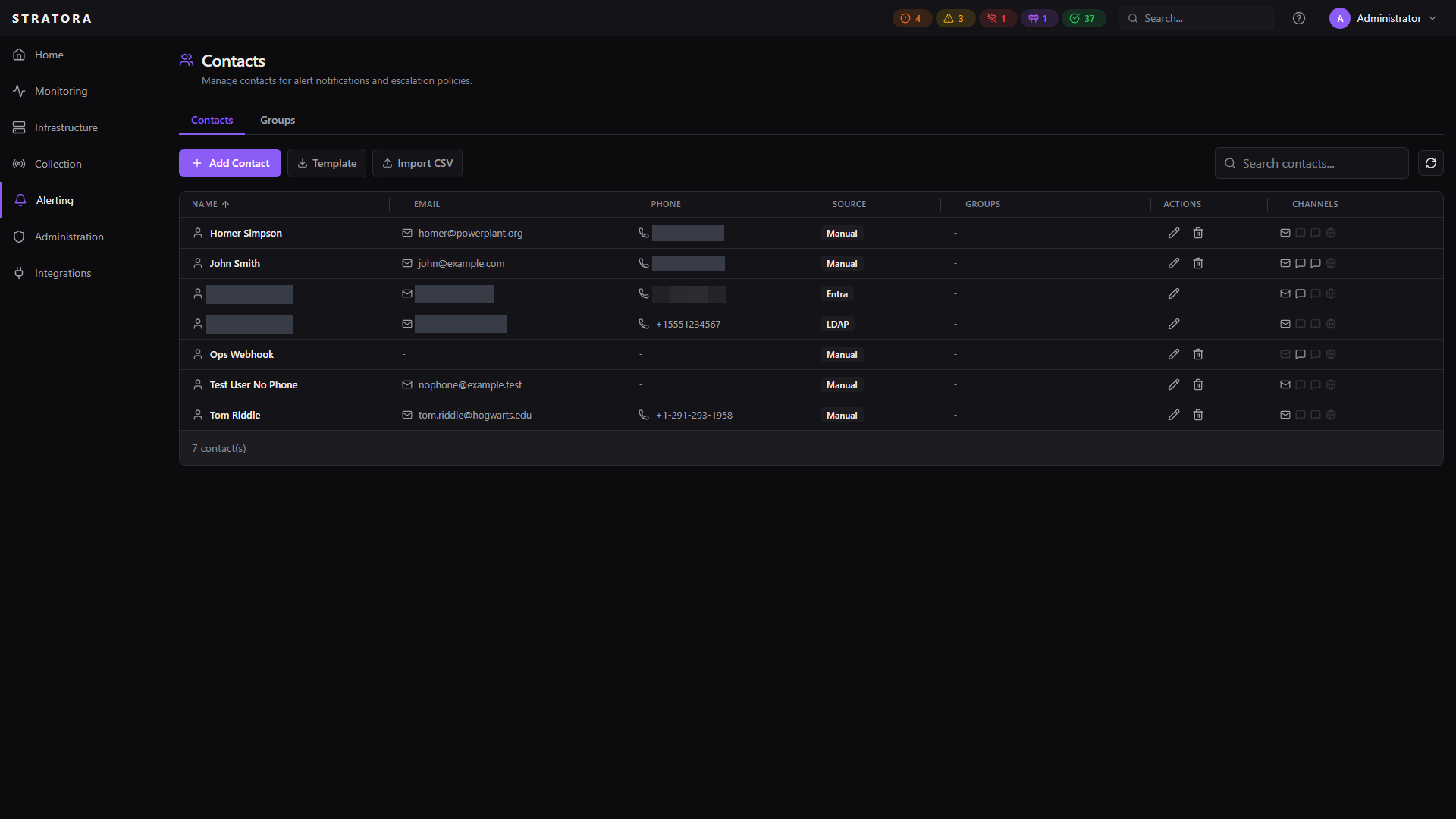
Contacts are the people and groups who receive alert notifications. A contact record stores a person's name, email addresses, phone numbers, and per-contact webhook URLs — providing a central directory that escalation teams and on-call rotations can reference.
Creating Contacts
Navigate to Alerting → Contacts and click Add Contact.
| Field | Required | Description |
|---|---|---|
| Name | Yes | Full name of the contact |
| No | Email address for notifications | |
| Phone | No | Primary phone number for SMS and voice notifications. Use E.164 format (e.g., +18005551234). Stratora does not enforce format on save; malformed numbers fail at delivery time and surface in the alert's notification history. |
| Mobile | No | Mobile phone number, distinct from Phone. When both are set, escalation rotation members can be configured per-step to dispatch SMS / Voice to either Phone or Mobile. Same E.164 guidance applies. |
| Slack Webhook URL | No | Per-contact Slack incoming webhook URL. Used when an escalation step targets this contact on the Slack channel. |
| Teams Webhook URL | No | Per-contact Microsoft Teams incoming webhook URL. Used when an escalation step targets this contact on the Teams channel. |
| Webhook URL | No | Generic-webhook URL for this contact. Distinct from Slack / Teams webhooks; used by the Generic Webhook channel only. |
| Notes | No | Free-text notes about the contact's role or responsibilities |
Contact Sources
Contacts can be created manually or synced from an external directory service.
| Source | Description |
|---|---|
| Manual | Created directly in the Stratora UI |
| LDAP | Synced from an LDAP / Active Directory server |
| Entra | Synced from Microsoft Entra ID (Azure AD) via OIDC + Microsoft Graph |
Contacts synced from an external source are marked as managed. Each synced contact stores an external ID that links it back to the source directory record, ensuring updates and deletions are tracked correctly.
Local field overrides on managed contacts
Managed contacts support per-field local overrides for phone and mobile numbers. When you edit a managed contact's Phone or Mobile field in the Stratora UI, that field becomes locally-managed — the IdP sync will no longer overwrite it on subsequent syncs. Other fields (name, email, group memberships) continue to sync normally from the directory.
This pattern is useful when the directory's telephoneNumber is a desk line but on-call rotations need a personal mobile, or when a contact's mobile is correct in Stratora but incorrect in the IdP. To restore IdP-managed behavior on a field, clear the local override flag from the contact's edit modal.
Contact Groups
Contacts can be organized into groups for easier management.
Each group has:
| Field | Required | Description |
|---|---|---|
| Name | Yes | Group name (e.g., "Network Team", "Site Admins") |
| Description | No | Notes about the group's purpose |
| Members | Yes | One or more contacts |
Groups are useful for organizing contacts by team, responsibility, or location.
How Contacts Are Used
Contacts integrate with the alerting system in two ways:
On-Call Rotations
When you set up an escalation team with a rotation schedule, each rotation member can optionally be linked to a contact record. This keeps contact details centralized — if someone's email or phone number changes, you update the contact once and all rotations referencing it get the new information automatically.
Escalation Step Channels
Escalation step channels can target on-call rotation members dynamically (current on-call, next on-call, etc.). When a channel targets a rotation member who is linked to a contact, the contact's email and phone are used for notification delivery.
Notification Channels
Stratora supports the following notification delivery methods, configured on escalation team step channels:
| Channel | Description | Status |
|---|---|---|
| SMTP-based email delivery | Available | |
| Slack | Incoming webhook with Block Kit formatting | Available |
| Microsoft Teams | Incoming webhook with Adaptive Cards | Available |
| Generic Webhook | HTTP POST with JSON payload and custom headers | Available |
| SMS | Text message delivery via Twilio | Available — requires Twilio configuration; see Twilio Integration |
| Voice | Automated voice call via Twilio | Available — requires Twilio configuration; see Twilio Integration |