Audit Logs
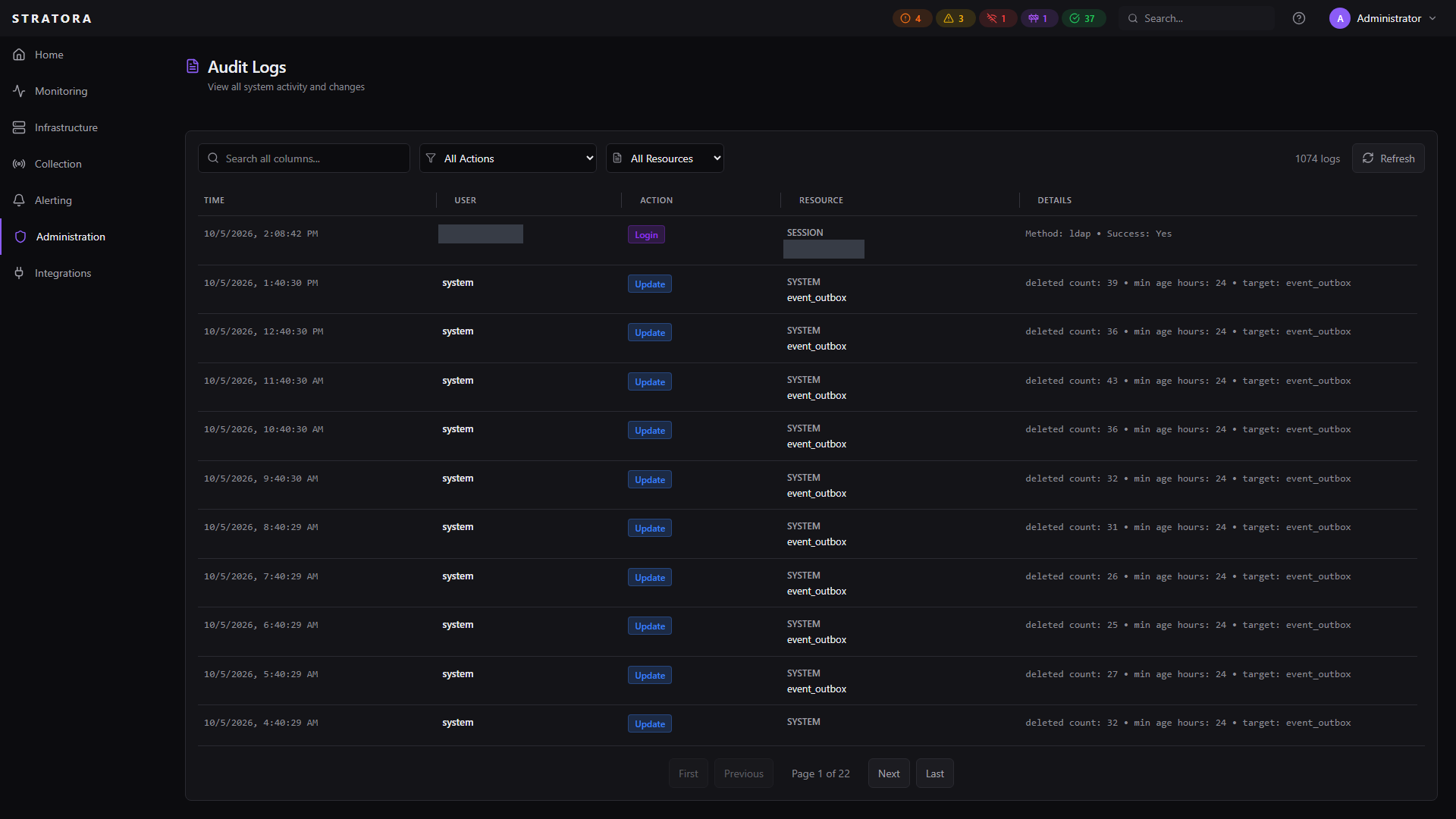
The audit log records every significant action in Stratora — who did what, when, and from where. It provides a tamper-evident trail for security reviews, compliance audits, and operational troubleshooting.
What Gets Logged
Every user-initiated and system action that creates, modifies, or deletes a resource is recorded. Each log entry captures:
| Field | Description |
|---|---|
| Timestamp | When the action occurred (server time) |
| User | Who performed the action (username preserved even if the account is later deleted) |
| Action | What was done (create, update, delete, login, reveal, etc.) |
| Resource Type | What kind of object was affected (node, user, credential, etc.) |
| Resource Name | Display name of the affected object |
| Details | Additional context as structured data (e.g., old/new values, method used) |
| IP Address | Client IP of the request |
| User Agent | Browser or API client identifier |
Tracked Events
Authentication
| Event | Details Logged |
|---|---|
| Successful login | Username, authentication method (local, LDAP, OIDC) |
| Failed login | Username attempted, failure reason (invalid credentials, inactive account) |
| Logout | Session ended |
User Management
| Event | Details Logged |
|---|---|
| User created | Username, role assigned |
| User updated | Fields changed (role, email, display name) |
| User enabled / disabled | Account status change |
| User permanently deleted | Username (preserved for traceability) |
| Password reset | Which user was reset (by an admin) |
Infrastructure
| Event | Details Logged |
|---|---|
| Node created / updated / deleted | Node name, changes made |
| Node approved / rejected | Enrollment decision for agent-registered nodes |
| Nodes bulk-assigned | Target site, node count |
| Site created / updated / deleted | Site name |
| Node group changes | Group name, membership changes |
| Discovery job run | Target subnet/site |
Credentials
| Event | Details Logged |
|---|---|
| Credential created / updated / deleted | Credential name and type (never the secret value) |
| Credential revealed | Who viewed the plaintext secret and the stated reason |
| Credential attached / detached | Which node, which purpose |
| Credential enabled / disabled | State change |
| Credential re-encrypted | Key rotation event |
Credential secret values are never written to the audit log. Only the fact that a reveal or decryption occurred is recorded, along with who performed it.
Alerting & Maintenance
| Event | Details Logged |
|---|---|
| Alert acknowledged | Who acknowledged, comment if provided |
| Alert muted / unmuted | Duration, reason |
| Alert configuration created / updated / deleted | Rule name, thresholds |
| Alert configuration enabled / disabled | State change |
| Escalation team changes | Team name |
| Maintenance window created / ended | Scope, schedule |
Dashboards & Maps
| Event | Details Logged |
|---|---|
| Dashboard created / updated / deleted | Dashboard name |
| Topology map created / updated / deleted | Map name |
System
| Event | Details Logged |
|---|---|
| Enrollment token created / revealed | Token description (never the token value) |
| Collector / agent revoked | Component name |
| License uploaded / removed | Edition, node limit, expiration |
| Data retention policy changed | Previous and new retention period, compliance preset |
| Data purge triggered | Compaction requested |
| Settings changed | Which setting, old and new value |
Viewing Audit Logs
Navigate to Administration → Audit Logs to view the log. The interface supports:
Filtering
| Filter | Description |
|---|---|
| Time range | Start and end timestamps |
| User | Filter by specific user |
| Action | Filter by action type (create, update, delete, login, reveal, etc.) |
| Resource type | Filter by object type (node, user, credential, etc.) |
| Search | Full-text search across username, resource name, action, IP address, and details |
Statistics
The audit log dashboard shows:
- Total log entries
- Action breakdown for the last 24 hours (how many creates, updates, logins, etc.)
- Resource type breakdown for the last 24 hours (which resource types were most active)
Resource History
You can also view the audit trail for a specific resource — for example, all changes ever made to a particular node or credential. This is accessible from the resource's detail view.
Retention
Audit log entries are retained for 90 days by default. Retention is configured server-side via the audit.retention_days setting in config.yaml; there is no UI control for audit log retention. The retention cleanup runs automatically on the server's scheduled maintenance cycle.
For compliance purposes, consider your regulatory requirements before shortening audit log retention. Standards like HIPAA, SOX, and PCI DSS have specific requirements for how long audit trails must be preserved. Adjust audit.retention_days accordingly and restart the Stratora backend service for the new value to take effect.
Compliance Use Cases
The audit log supports common compliance and security requirements:
- Change tracking — prove who made configuration changes and when
- Access accountability — trace login activity across local, LDAP, and SSO authentication
- Credential governance — demonstrate that secret access is controlled and audited
- Incident investigation — correlate alert acknowledgments and maintenance windows with user actions
- Separation of duties — verify that role-appropriate users performed sensitive actions
- License compliance — track license uploads and edition changes