Reports
Reports turn your monitoring data into shareable, professionally formatted PDF documents — giving stakeholders clear visibility into site health, uptime, and incident trends without requiring direct access to Stratora.
Reports are ideal for:
- Client-facing summaries — deliver monthly or quarterly health reports to customers showing uptime and reliability metrics
- Internal reviews — give management a high-level view of infrastructure performance across sites
- Compliance evidence — produce auditable records of uptime, incidents, and mean-time-to-recover (MTTR)
How Reports Work
Reports are generated from report templates. A template defines what data to include, which sites to cover, and what time range to analyze. When you run a template, Stratora aggregates metric snapshots from the reporting period and produces a downloadable PDF.
Built-in vs Custom Templates
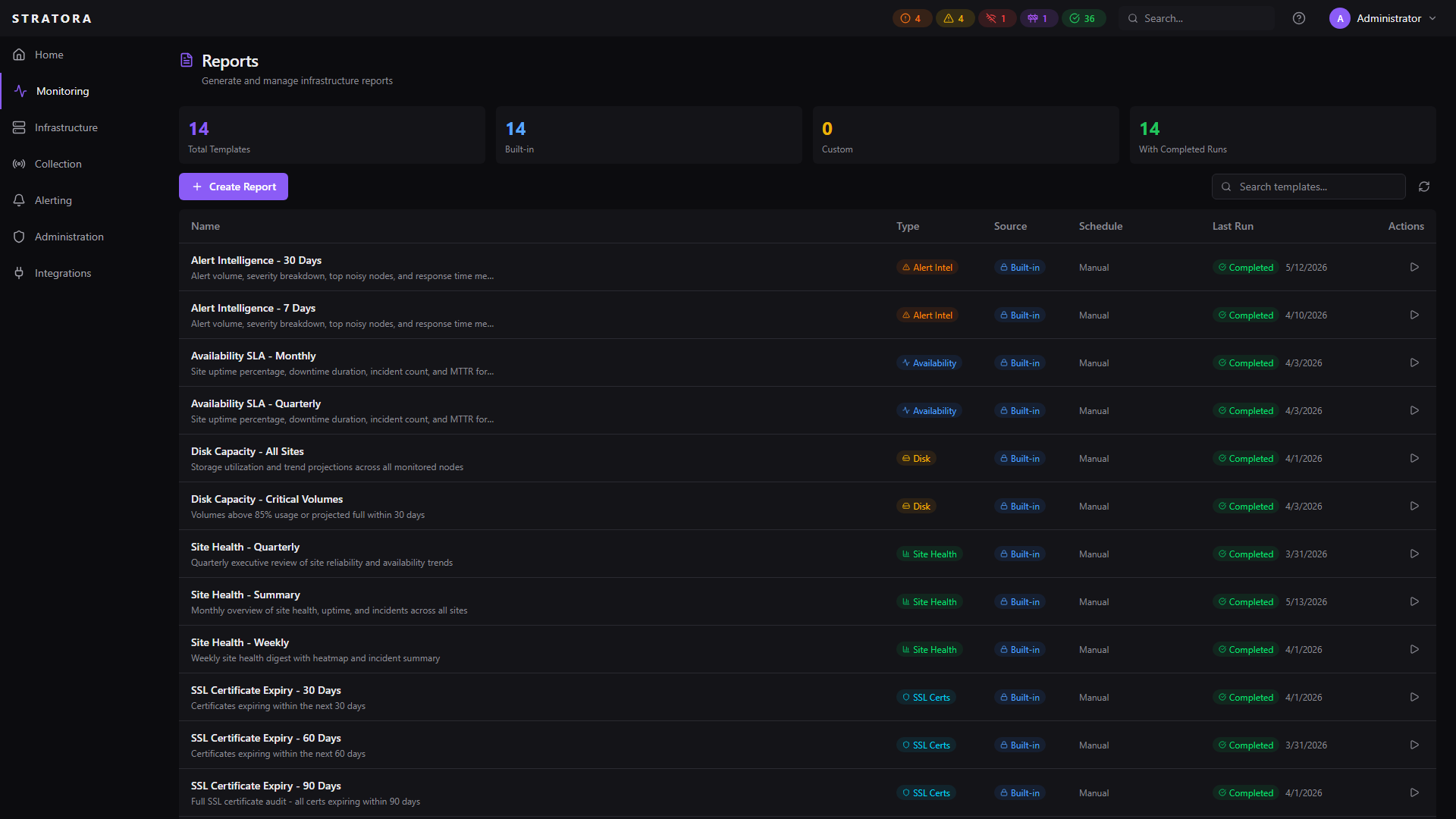
Stratora ships with built-in report templates that cover common reporting needs out of the box. You can also create custom templates tailored to specific audiences, sites, or time ranges.
| Built-in Templates | Custom Templates | |
|---|---|---|
| Created by | Included with Stratora | Created by your team |
| Editable | No | Yes |
| Deletable | No | Yes |
| Scope | All sites | All sites or specific sites |
| Sections | Pre-configured | Choose which sections to include |
Report Types
| Type | Description |
|---|---|
| Site Health | Uptime, health scores, incidents, and trend analysis across your sites |
| Disk Capacity | Storage usage trends per monitored node with projected full dates via linear regression |
| SSL Certificate Expiry | Inventory of monitored certificates with days-until-expiry and renewal urgency |
| Alert Intelligence | Alert volume, severity breakdown, top noisy nodes, time-to-acknowledge, time-to-resolve |
| Availability / SLA | Per-site uptime percentage, downtime totals, incident count, MTTR, MTBF |
| Top Offenders | Top nodes ranked by CPU, memory, latency, and interface errors over the reporting period |
All six report types are available as built-in templates and ship with Stratora. See Report Templates for the cadences each type covers out of the box, and create custom templates if you need different scope or time-range combinations.
Accessing Reports
Navigate to Reports in the sidebar to view your report templates, generate new reports, and download previous runs.
What's Next
- Report Templates — view built-in templates and create your own
- Generating Reports — run a report and download the PDF
- Site Health Report — understand what each section of the report contains
- Metrics Reference — detailed definitions of every metric and how it's calculated